它能做什么
BingoBloom 是一个网页端的派对工具。输入活动标题,选择卡片数量、图标主题和打印布局,就能生成一组互不相同的 Bingo 卡,再通过浏览器直接打印或保存为 PDF。
- 常用人数预设:20、30、50、100 张。
- 可自定义标题,同一套模板适用于 baby shower、生日派对、课堂和家庭聚会。
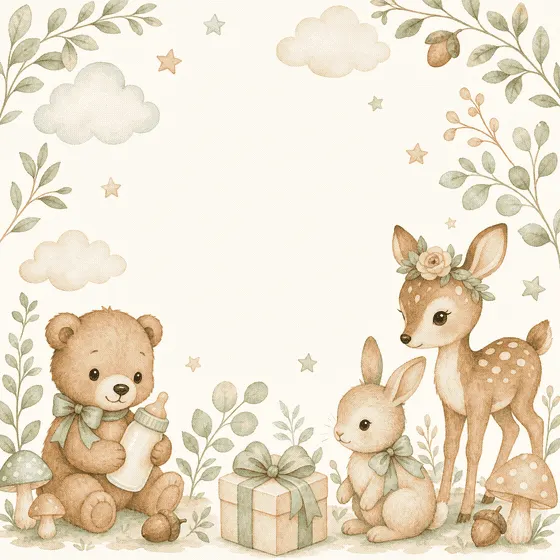
- 多套水彩图标主题:小熊与兔子、小鹿与狐狸、宝宝、日月等。
- 每页一张或两张的打印布局,支持省墨模式。
- 主持人抽词面板,活动现场随机抽取词条。
五步准备一场 Bingo
- 打开工作室,输入派对或活动标题。
- 选择人数规模、打印布局和图标主题。
- 点“New set”生成一组新卡片。
- 在预览里翻看几张,确认文字、排版和图案。
- 点“Print / Save PDF”,在浏览器里打印或另存为 PDF。
主持人准备建议
- 卡片数量比预计来宾多 10% 左右,给临时加入和打印损耗留余量。
- 正式打印前先打两张测试页,检查纸张方向、边距、字号和颜色。
- 抽词页面留给主持人,不要和来宾卡片一起发出去。
- 开局前说清楚胜利条件:一条线、四角或全卡,只选一种,避免中途争议。
玩法变体
- 快速局:任意一条横线、竖线或对角线完成即获胜。
- 四角局:只看四个角,适合时间很短的暖场。
- 全卡局:除 FREE 格外全部划掉才算赢,适合作为压轴环节。
隐私与数据
标题、卡片配置和语言偏好只保存在你的浏览器里,不需要注册账号,卡片内容也不会上传到服务器。
常见问题
为什么两张卡看起来很像?
同一主题使用相同的词库和插画,但每张卡的词条位置不同。大型活动请选够卡片数量,并在打印前抽查预览。
能直接生成 PDF 吗?
工作室调用浏览器的打印功能,在打印面板里选择“另存为 PDF”即可。纸张尺寸、边距和缩放由打印面板控制。
手机能用吗?
手机可以配置和预览,批量打印更适合电脑浏览器。建议使用最新版 Chrome、Edge、Firefox 或 Safari。
What it does
BingoBloom is a party tool that runs in the browser. Enter your event title, pick a card count, an icon theme and a print layout, and it generates a set of cards that are all different. Print them straight from the browser or save them as a PDF.
- Group-size presets for 20, 30, 50 or 100 cards.
- A custom title, so one template works for baby showers, birthdays, classrooms and family events.
- Watercolor icon themes: bear and bunny, deer and fox, babies, sun and moon, and more.
- One or two cards per page, plus an ink-saving mode.
- A caller panel to draw words at random during the event.
Set up a game in five steps
- Open the studio and enter your party or event title.
- Choose the group size, print layout and icon theme.
- Select “New set” to generate a fresh set of cards.
- Flip through a few cards in the preview to check text, layout and artwork.
- Select “Print / Save PDF” and print or save from the browser.
Host tips
- Print about 10% more cards than expected guests to cover late arrivals and misprints.
- Print two test pages first to check orientation, margins, type size and color.
- Keep the caller screen with the host rather than handing it out with the cards.
- Announce the winning pattern before you start (one line, four corners or blackout) to avoid disputes mid-game.
Variations
- Quick round: any complete row, column or diagonal wins.
- Four corners: only the four corners count; good for a short warm-up.
- Blackout: every square except FREE must be marked; good as a finale.
Privacy and data
Your title, card settings and language preference stay in your browser. No account is needed and card content is never uploaded.
FAQ
Why do two cards look similar?
Cards in a theme share the same word list and artwork, but each card arranges the words differently. For large events, generate enough cards and spot-check the preview before printing.
Can it make a PDF directly?
The studio uses your browser's print dialog. Choose “Save as PDF” there; paper size, margins and scale are set in that dialog.
Does it work on a phone?
You can set up and preview cards on a phone, but printing a full set works best from a desktop browser. Use a current Chrome, Edge, Firefox or Safari.